Asynchronous programming is a cornerstone of modern web development, allowing applications to remain responsive while performing time-consuming operations. JavaScript's async/await syntax, introduced in ES2017, offers a cleaner and more intuitive way to handle asynchronous code compared to traditional callbacks or promise chains (.then() and .catch()).
Understanding Async/Await
async/await is syntactic sugar built on top of Promises. It makes your asynchronous code look and feel more like synchronous code, which makes it easier to read and reason about.
Async Functions:
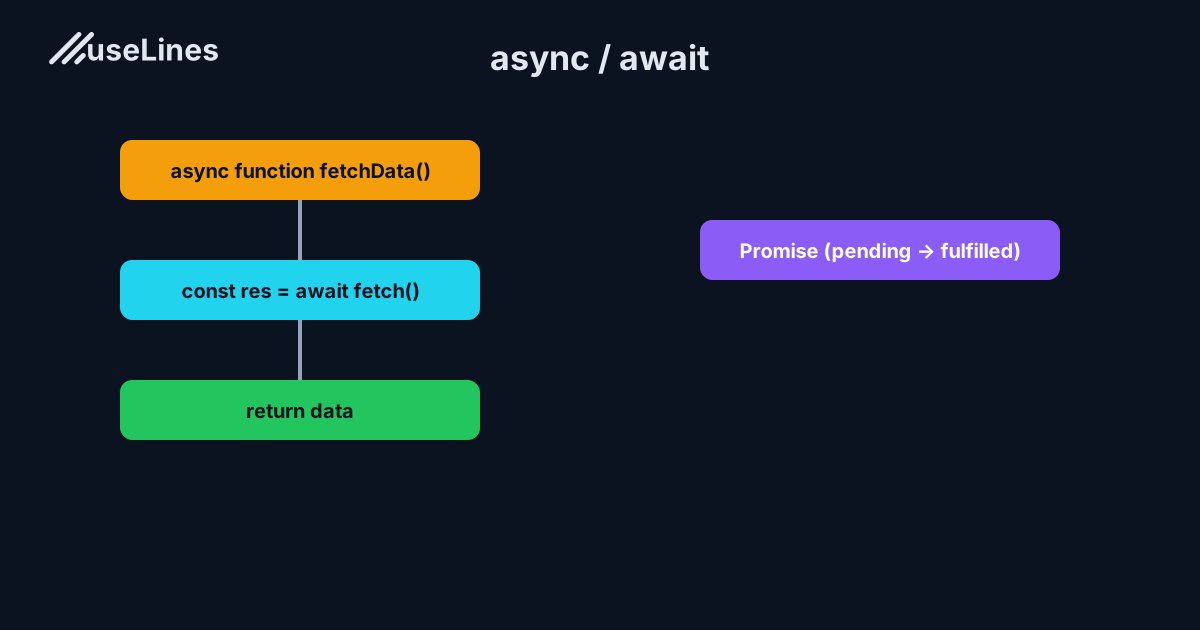
An async function is declared with the async keyword. It always returns a promise. If the function returns a value, the promise will be resolved with that value. If the function throws an error, the promise will be rejected with that error.
Await Keyword:
The await keyword can only be used inside an async function. It tells the function to pause execution and wait for a promise to resolve before moving on to the next line of code. While waiting, other scripts can run, keeping your application responsive.
Basic Usage
Here's a simple example of using async/await to fetch data from an API:
async function fetchData() {
  try {
    const response = await fetch('https://api.example.com/data');
    if (!response.ok) {
      throw new Error('Network response was not ok');
    }
    const data = await response.json();
    console.log(data);
  } catch (error) {
    console.error('Fetch error:', error);
  }
}

fetchData();
In this example:
- The
fetchDatafunction is declared asasync, allowing the use ofawaitwithin it. - The
awaitkeyword pauses the function execution until thefetchpromise resolves with aResponseobject. - We check if the response was successful. If not, we throw an error which will be caught by the
catchblock. - The
awaitkeyword is used again to wait for theresponse.json()promise to resolve with the parsed data. - Any errors during the fetch or parsing process are caught and logged in the
catchblock.
Error Handling with Try...Catch
Using try...catch blocks with async/await allows for straightforward, synchronous-style error handling, which many developers find cleaner than .catch() blocks with promises.
async function getUserData(userId) {
  try {
    const response = await fetch(`https://api.example.com/users/${userId}`);
    if (!response.ok) {
      throw new Error('User not found');
    }
    const user = await response.json();
    return user;
  } catch (error) {
    console.error('Error fetching user data:', error);
    throw error; // Re-throwing the error for further handling by the caller
  }
}
Parallel Execution with Promise.all
When you have multiple independent asynchronous operations, you can execute them concurrently using Promise.all. This is much more efficient than awaiting them one by one.
async function fetchMultipleData() {
  try {
    const [data1, data2, data3] = await Promise.all([
      fetch('https://api.example.com/data1').then(res => res.json()),
      fetch('https://api.example.com/data2').then(res => res.json()),
      fetch('https://api.example.com/data3').then(res => res.json())
    ]);
    console.log(data1, data2, data3);
  } catch (error) {
    console.error('Error fetching data:', error);
  }
}

fetchMultipleData();
In this example, all three fetch requests are initiated simultaneously. Promise.all returns a single promise that resolves when all of the input promises have resolved. The await then pauses the function until all data is fetched.
Common Mistakes to Avoid
- Forgetting to Use
await: If you call anasyncfunction withoutawait, it will return a pending promise instead of the resolved value. - Not Handling Errors: Always wrap your
awaitcalls intry...catchblocks to handle potential promise rejections. Unhandled promise rejections can crash Node.js applications. - Inefficiently Using
awaitInside Loops: Usingawaitinside aforloop will cause sequential execution, which can be slow. If the operations don't depend on each other, collect all the promises in an array and usePromise.allto run them concurrently. - Overusing
asyncFunctions: Only declare functions asasyncwhen you need to useawaitinside them. Overuse can lead to unnecessary complexity and make it harder to reason about your code.
By understanding and implementing these concepts, you can write cleaner, more readable, and more efficient asynchronous code in JavaScript, leading to better performance and maintainability in your applications.